Parametric geometry
Radial and axial cross-sections built from main dimensions, with DXF import/export and import of existing .mot models.

FEM design for electrical machines
AGFEM is a Windows desktop application for the electromagnetic design of rotating electrical machines. Parametric geometry, an in-house 2D FEM solver, winding synthesis, loss, efficiency and thermal models — through to the finished datasheet.
Full feature set. No payment details for the trial.
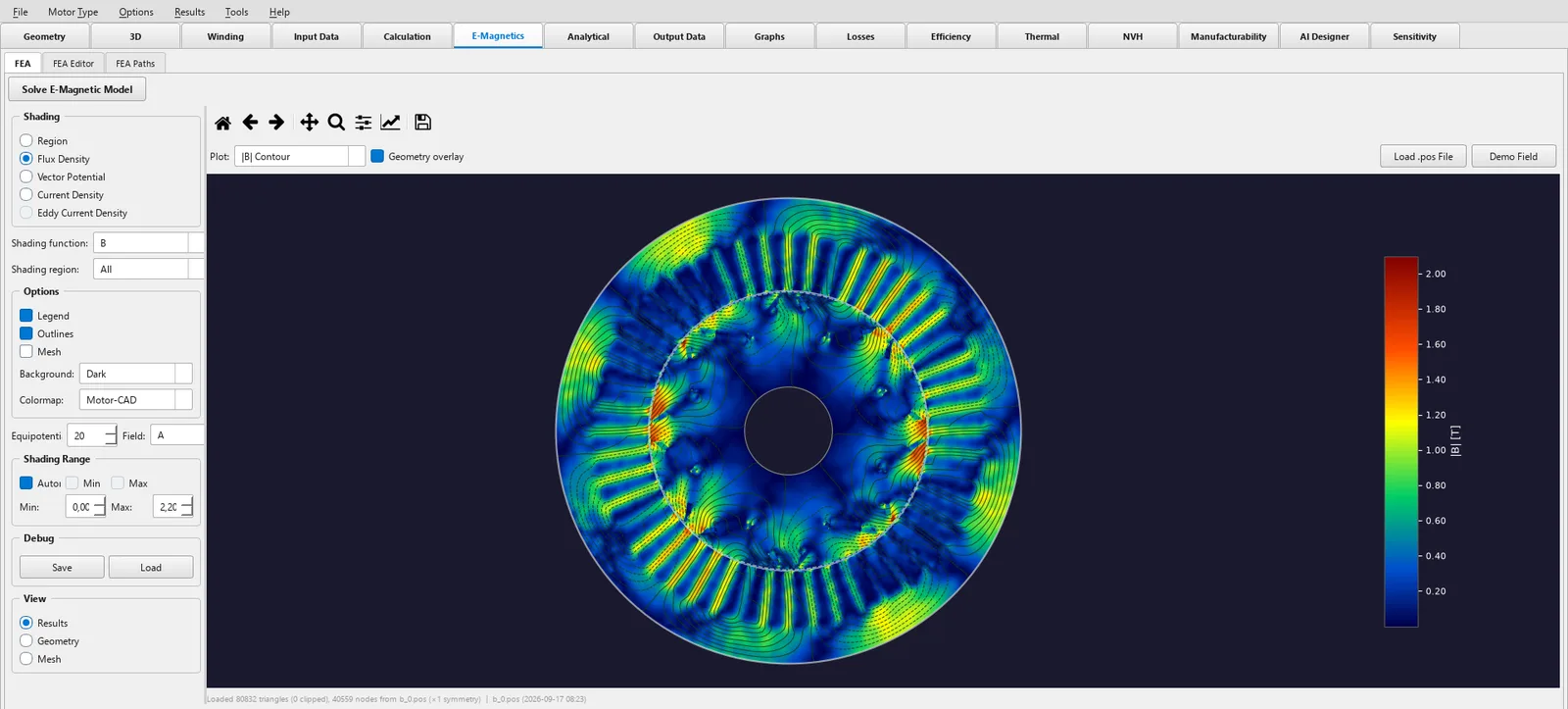
AGFEM joins parametric geometry generation, meshing and a nonlinear 2D magnetostatic solver into one continuous workflow. No patchwork of scripts between CAD, mesher and solver: change the geometry, solve, read the result.
Radial and axial cross-sections built from main dimensions, with DXF import/export and import of existing .mot models.
A spatial view generated from the real 2D contours, with half-section, parametric shaft and end windings.
Automatic winding synthesis, slot layout with phase assignment, and one consistent area model from fill factor to wire diameter.
Laminations, magnets and conductors from MotorCAD databases, including ferrites with the temperature drift of remanence.
Flux density, vector potential, current density and magnet field as field plots — plus torque ripple, cogging and open-circuit back-EMF.
Electric Machines Mathematical Analyzer: our own FEM core with second-order elements, a moving band, time-harmonic and structural solving. The default since the changeover; the established open-source solver stays alongside as the reference the examples are checked against.
AGFEM builds the geometry parametrically. Pick the machine type, set the main dimensions, solve — inner and outer rotor, radial and axial flux.
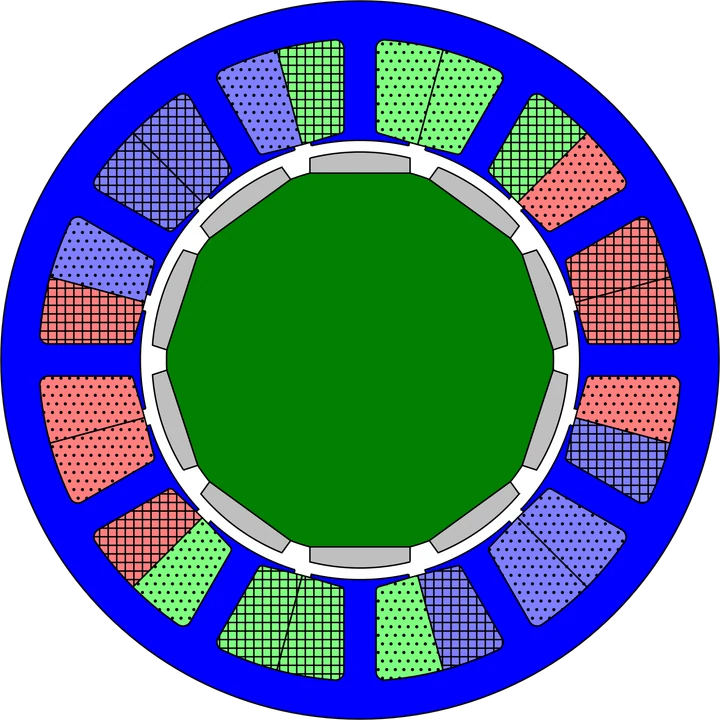
Surface-mounted and inset magnets, magnetised radially, in parallel or breadloaf-shaped.
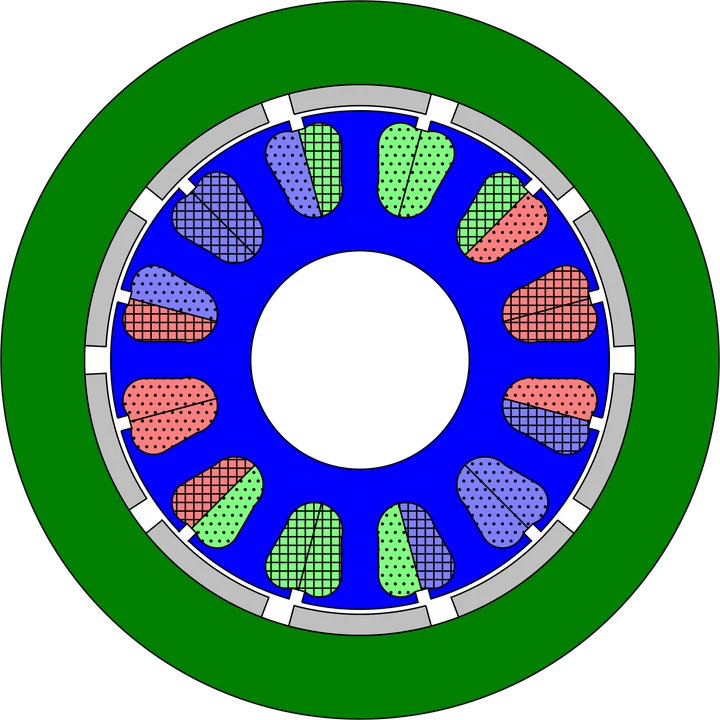
The same compute path with the rotor on the outside — typical for hub, fan and drone drives.
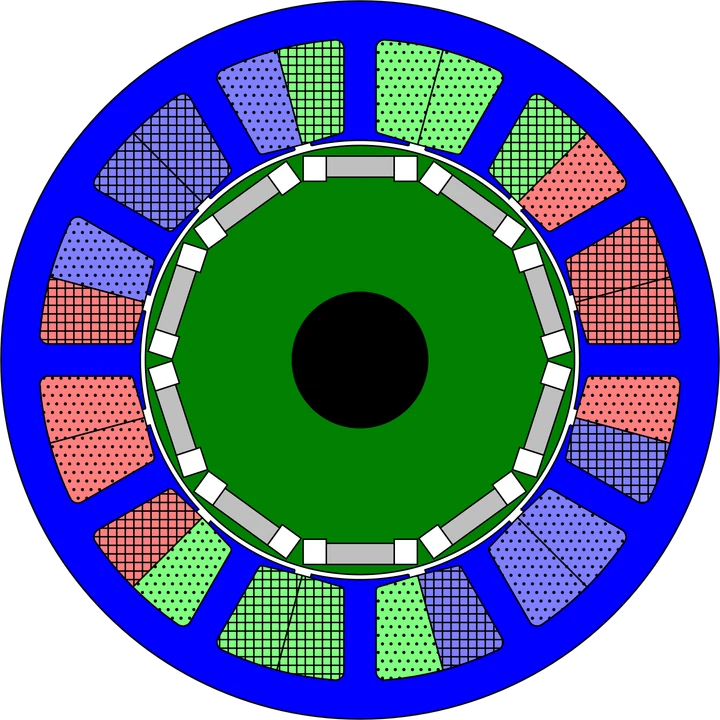
Buried flat magnets with flux bridges — the best-calibrated variant in AGFEM.
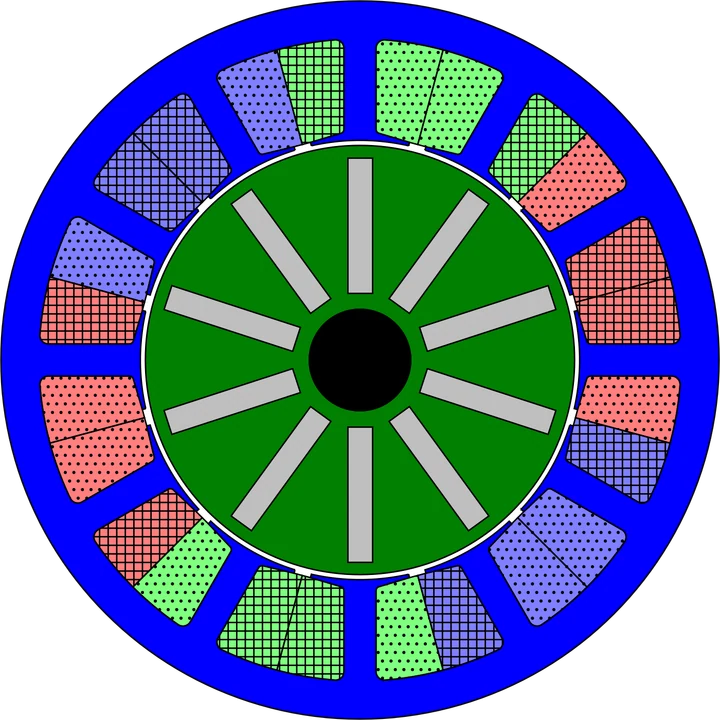
Flux concentration through tangentially magnetised spokes — ferrite magnets included.
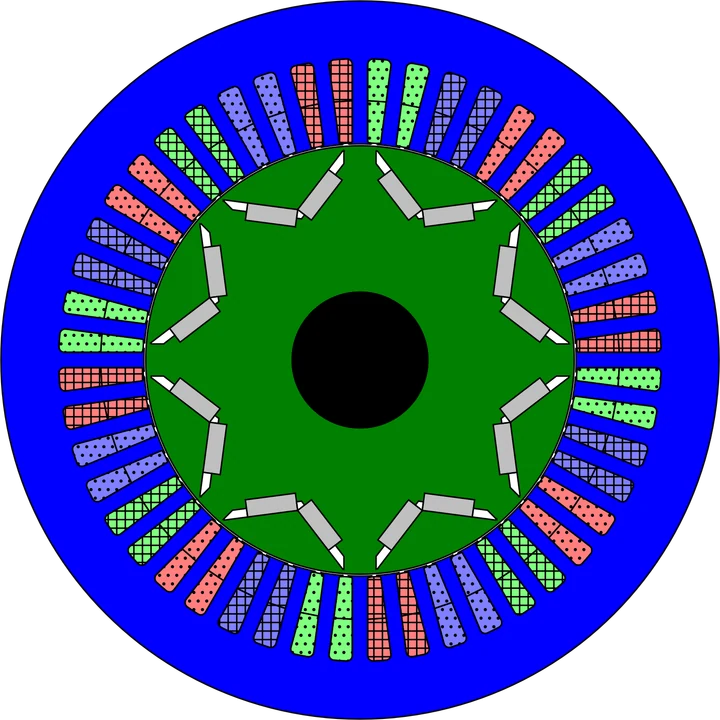
A pair of magnets in a V, combinable with hooked teeth and an asymmetric tooth tip.
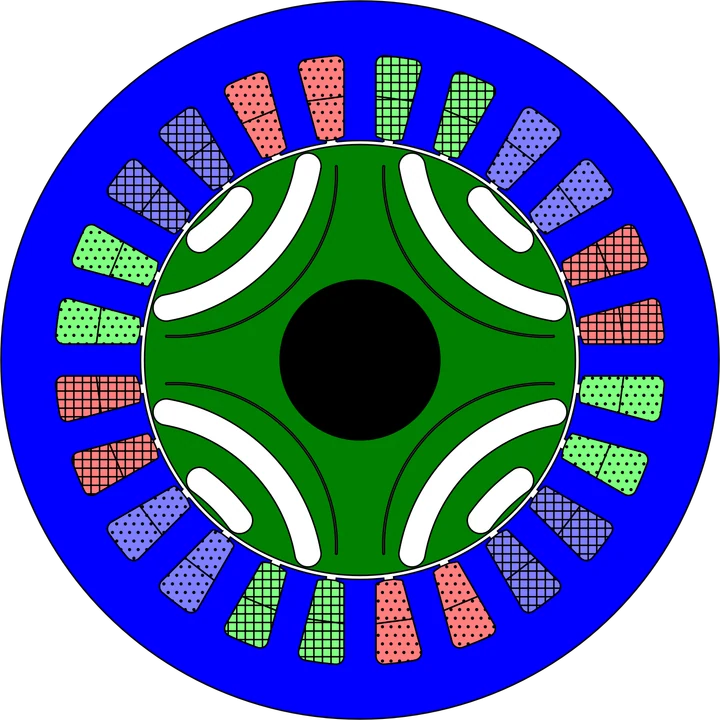
Flux-barrier rotor, optionally PM-assisted with ferrite or NdFeB inside the barriers.
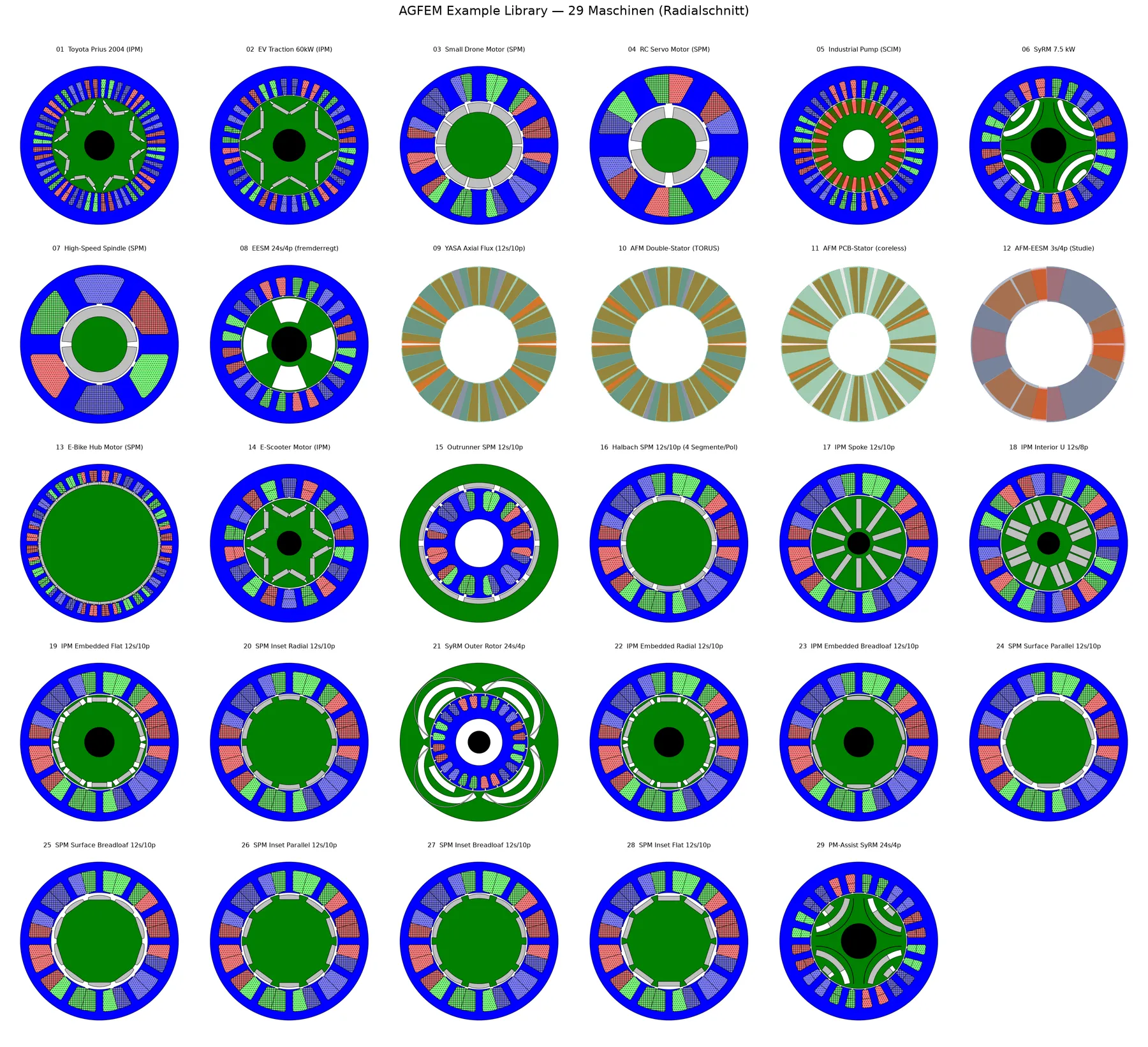
The software ships with 38 ready-parameterised machines — from an RC servo through an IPM hybrid traction machine to an axial-flux disc. Open any of them, run it, and rebuild it into your own design.
Screenshots and results taken from real design projects.
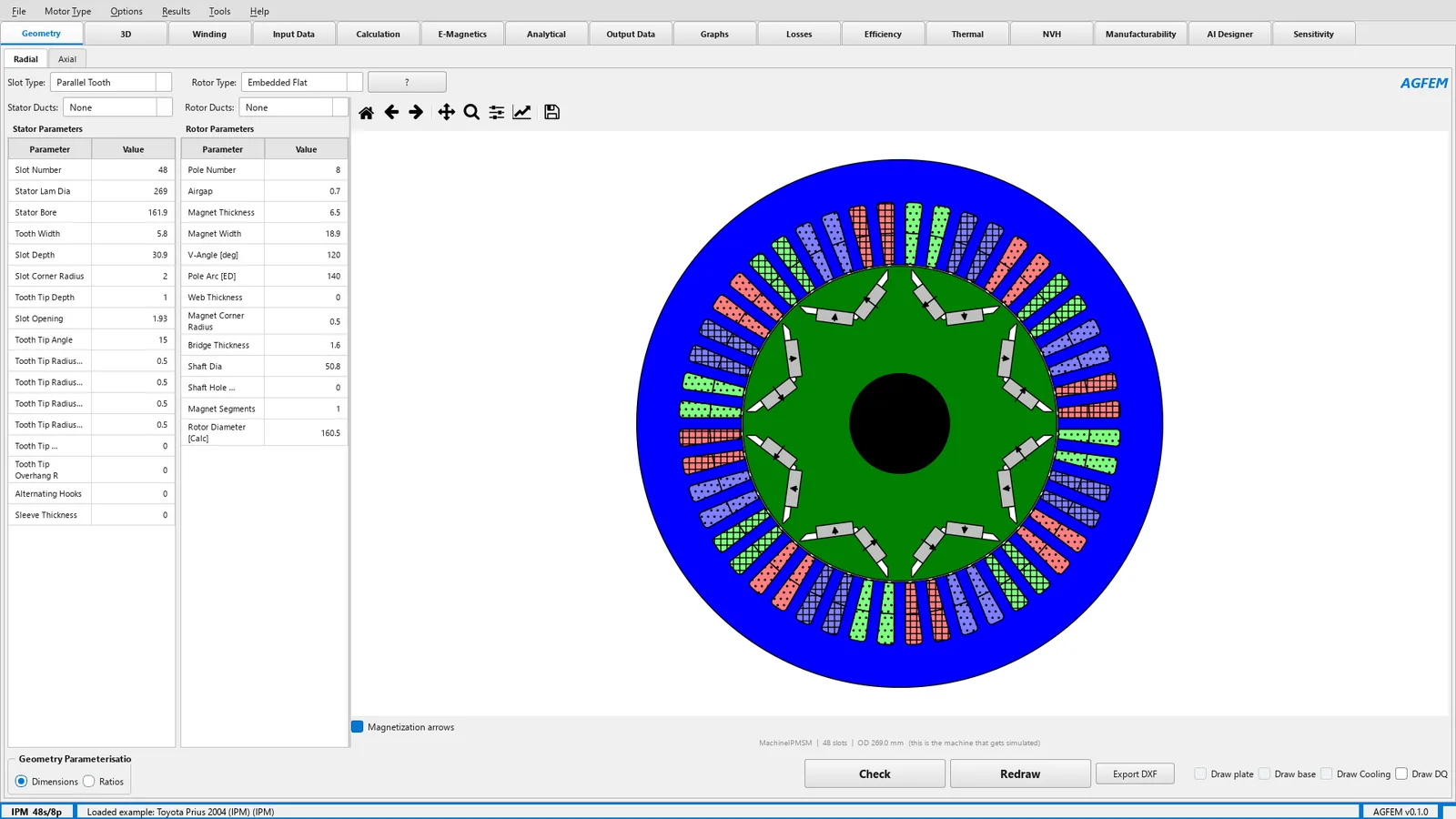
Geometry of the 2004 IPM hybrid traction machine (48 slots / 8 poles, after ORNL/TM-2005/33) — built parametrically, dimensions on the left, section on the right.
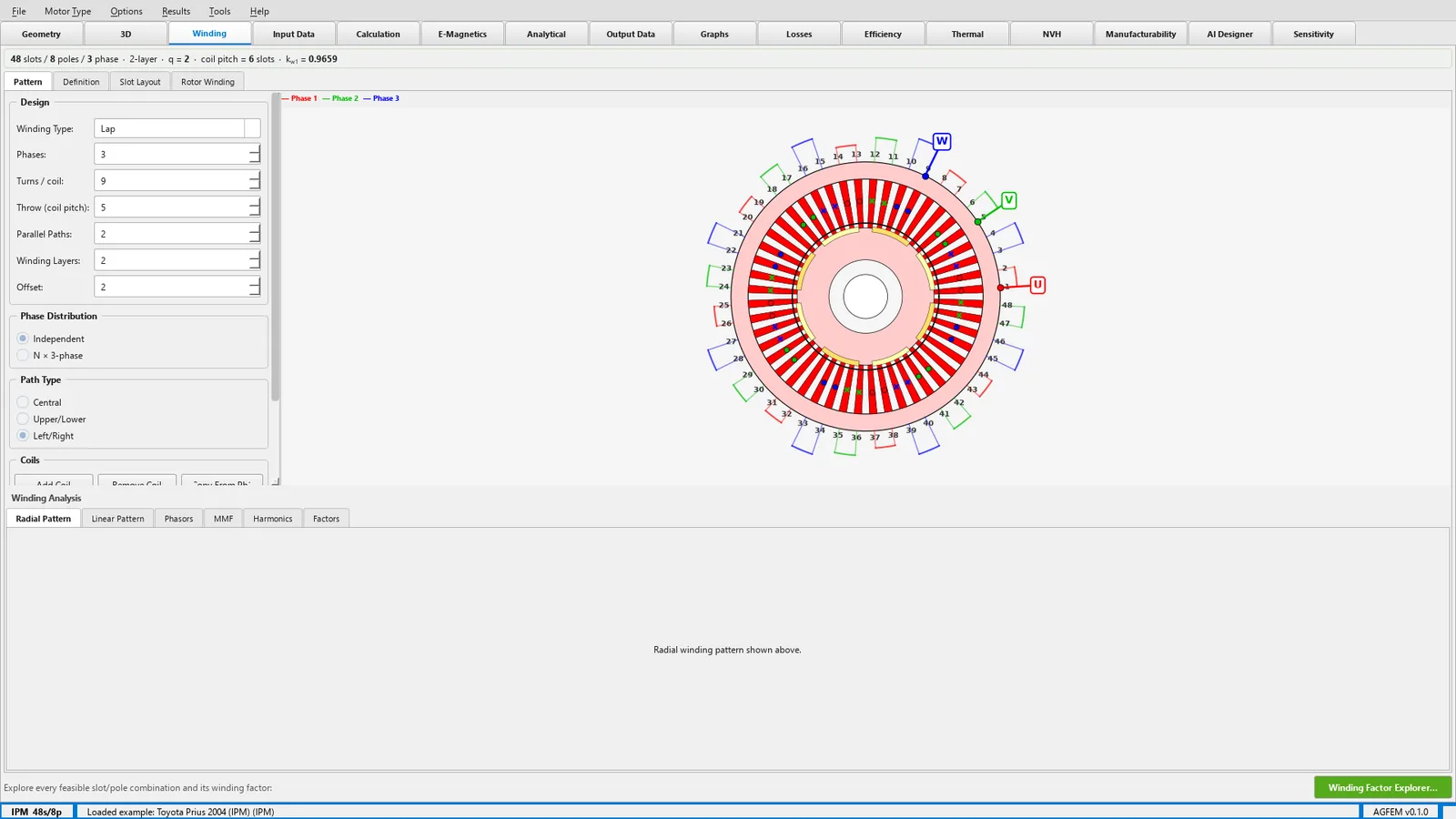
Winding layout with U/V/W phase terminals and winding factor — synthesised from the slot and pole count.
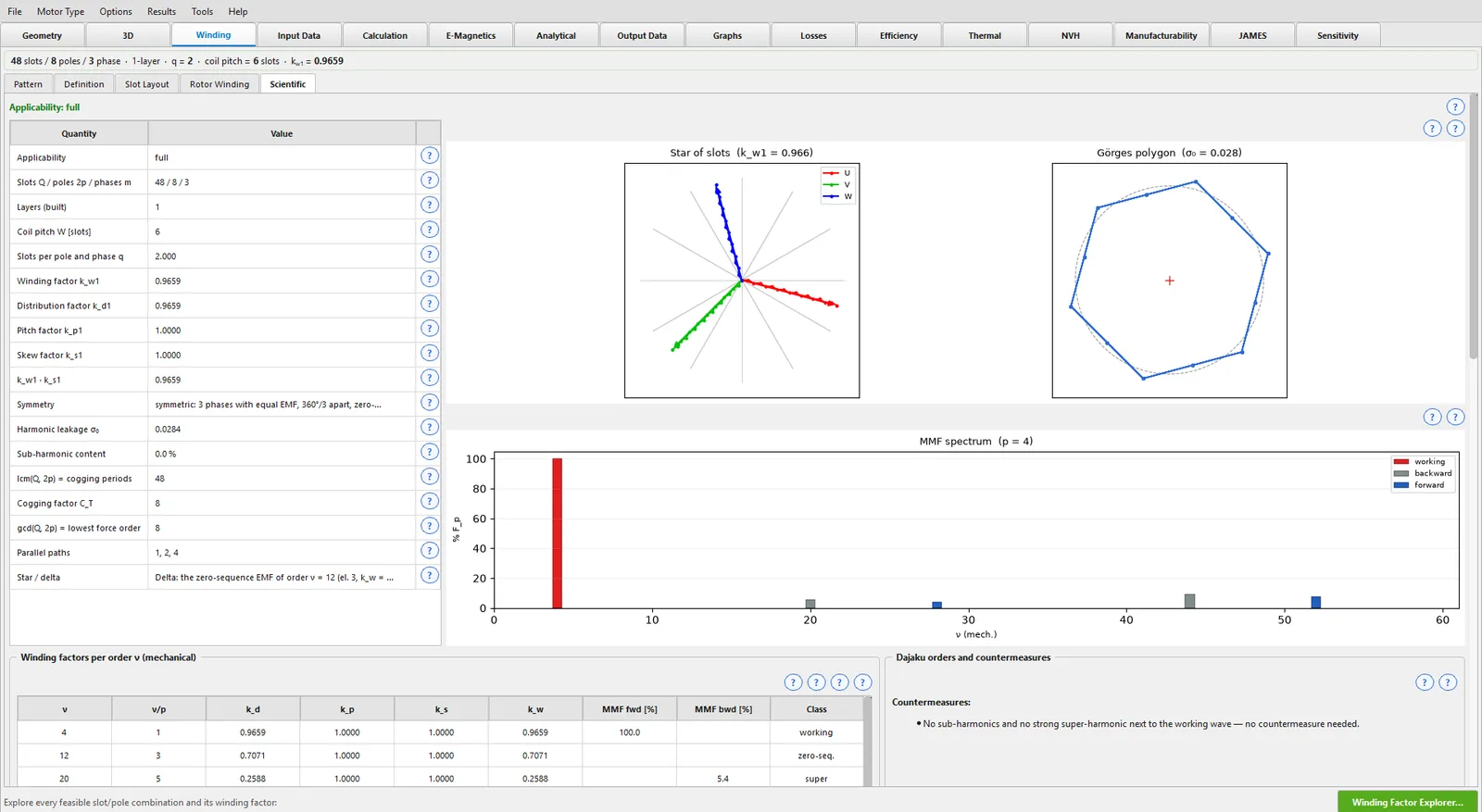
Star of slots, Görges polygon, MMF spectrum and winding factors per order — with Dajaku orders and countermeasures.
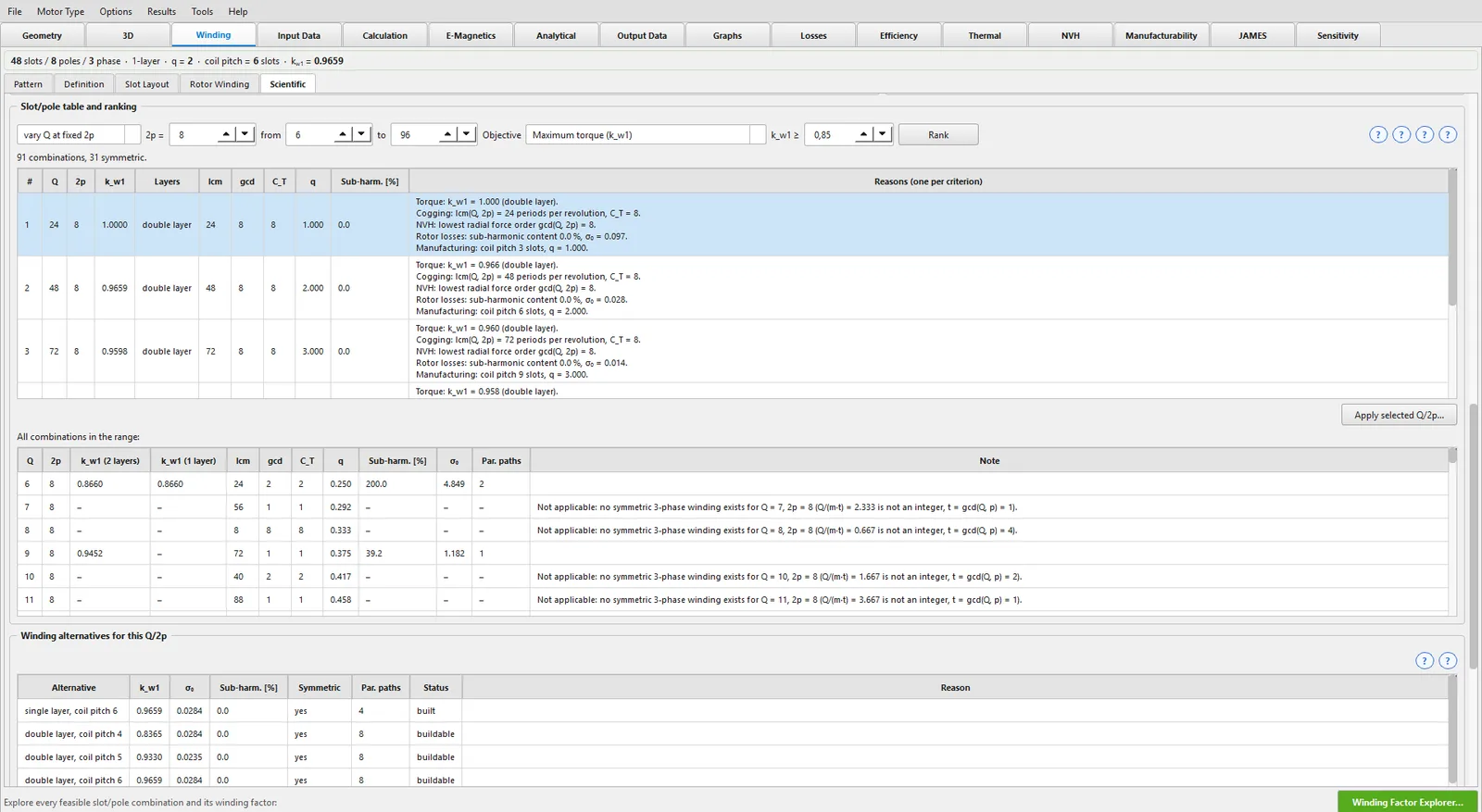
Further down the same page: every slot/pole combination in the range, ranked by objective and justified per criterion — and where no symmetric three-phase winding exists, the reason is given instead of an empty cell.
Three rules apply to every computation in AGFEM:
Every correction factor sits at 1.0. Deviations from measurement are traced to a cause, not tuned away.
The buried-magnet calibration is anchored to a real customer back-EMF measurement and re-checked automatically whenever the compute path changes.
When input data is missing, the calculation refuses to answer rather than quietly guessing a substitute value.
With the first activation of the licence key inside the installed software — not at sign-up. So you can download now and start whenever it suits you.
No. Every topology, every tab, every export. After 30 days a licence is needed to keep computing.
AGFEM checks the licence at start-up and then once a day. Without a connection the software keeps running for up to 14 days on the last confirmed licence.
A named-user licence covers up to two computers belonging to the same person, e.g. a workstation and a laptop. You can release and reassign computers from your account.
From your account, through the billing portal, with one click effective at the end of the current month. There is no minimum term.
No. Everything is computed locally on your machine. Only the licence check reaches our server — the key, an anonymous device identifier and the application version.
Sign up, download, install — the 30 days only start with the first activation inside the software.